
Proximity (prox) cards are the simple, familiar choice for a basic door, while smart cards store credentials in a more protected way and suit businesses that care about cloned or shared badges. The right answer depends on how many doors you have, how often staff change and what your existing readers already support.
Key points
- Prox cards are simple and widely supported; smart cards add stronger protection for the credential.
- Readers and cards must match, so identify what is on your doors before you buy cards.
- A reader upgrade does not always mean replacing the controller or the door hardware.
- Mixed reader types can live on one system during a phased upgrade.
- Low-voltage reader and door wiring is part of our licensed low-voltage work.
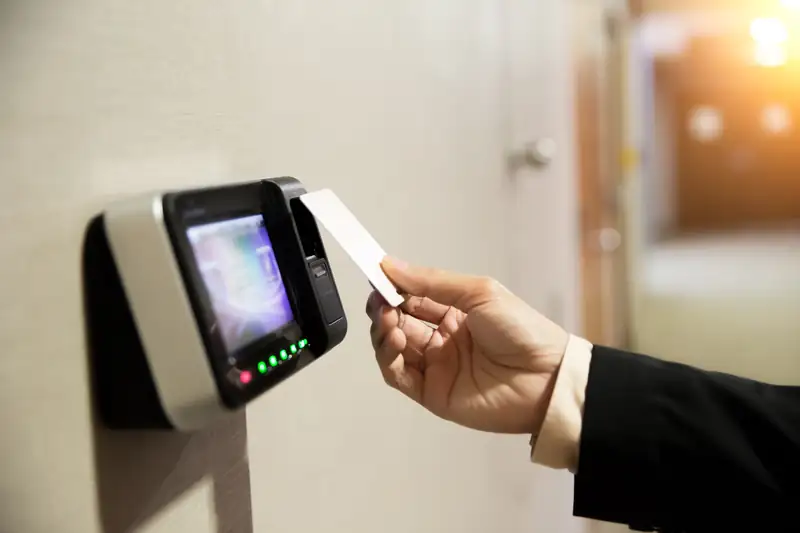
Card-reader projects usually start the same way: the system works, but the cards are old, someone left with a badge, or a door needs a reader and nobody remembers what brand is on the wall. Before you replace anything, it helps to know what separates a prox reader from a smart card reader and what you can keep.
The short difference
A proximity card holds a fixed number that the reader reads from a few inches away. The reader sends that number to the controller, and the controller decides whether the door opens. It is quick and inexpensive, and it has been the default for small offices for many years.
A smart card holds data in a small chip, and the reader and card talk to each other using protected communication. The card can carry more than one credential, and the exchange is much harder to copy than a plain fixed number. That is why larger or more security-minded sites tend to move to smart credentials.
Side by side
Here is how the two compare on the points that usually matter. These are general characteristics; specific products vary by maker.
| Question | Prox card | Smart card |
|---|---|---|
| How it works | Reader reads a fixed number | Reader and chip exchange protected data |
| Copy risk | Easier to duplicate | Harder to duplicate |
| Extra uses | Opens doors | Can add other credentials, depending on the system |
| Cost to replace a lost card | Generally lower | Generally higher |
| Good fit | A few doors, low staff turnover | Many doors, sensitive rooms, larger staffs |
Cost depends on the product line, so we price your site after we see the doors. We do not guess at a number from a general description.
What decides it for your building
Start with the doors. A single front door and a back door for a ten-person shop rarely need the same credential strategy as a warehouse with many doors and a shared yard gate. When readers are old, the real question is often whether everything has to be replaced, and frequently it does not.
Then look at people. If staff turn over often, a cheap, easy-to-replace card and a system that can disable a lost card at once matter more than how clever the credential is. If only a handful of people have a key to a server closet or an inventory room, a stronger credential on just that door is a sensible spend.
Upgrading without starting over
Many buildings already have a working controller, door locks and wiring. A reader swap can be a smaller job than it sounds, because the low-voltage cable and the strike or maglock are often reusable. What we check first is whether the controller can talk to the new reader type.
We cover reader choices on our card readers page, and the broader menu of keypads, fobs and phone credentials is on our keypads, fobs and mobile access page. Brands on our access pages include Keri and pdk, among others; we install and work with them.
How to find out what you have
- Look at the reader on the wall for a maker name or model on the faceplate.
- Check the back of an existing card for a printed number and any marking.
- Count the doors and note which ones are sensitive.
- Find the controller box, usually in a closet or above a ceiling, and photograph its label.
- Send us those photos or ask for a free on-site consultation and we will confirm what can stay.
Where the wiring work sits
Reader cable, door-position switches and request-to-exit devices are low-voltage runs. Our Nevada State Contractors Board license 0042143 includes C-2d Low Voltage, which Nevada defines for systems that do not exceed 91 volts, as the state administrative code explains.
Sources (2)
- law.cornell.edu: law.cornell.edu/regulations/nevada/NAC-624-200 (checked November 2026)
- Nevada State Contractors Board: app.nvcontractorsboard.com/Clients/NVSCB/Public/ContractorLicenseSearch/ContractorLicenseS (checked November 2026)